Give your team the context to welcome your regulars.
Recognize returning guests, keep your restaurant profile current and set the Regulars Pricing your team applies at the bill. Regulars Business brings check-ins and useful guest context into your service workflow.
Free through end of 2028 · No credit card. Découvrir Regulars Business en français →
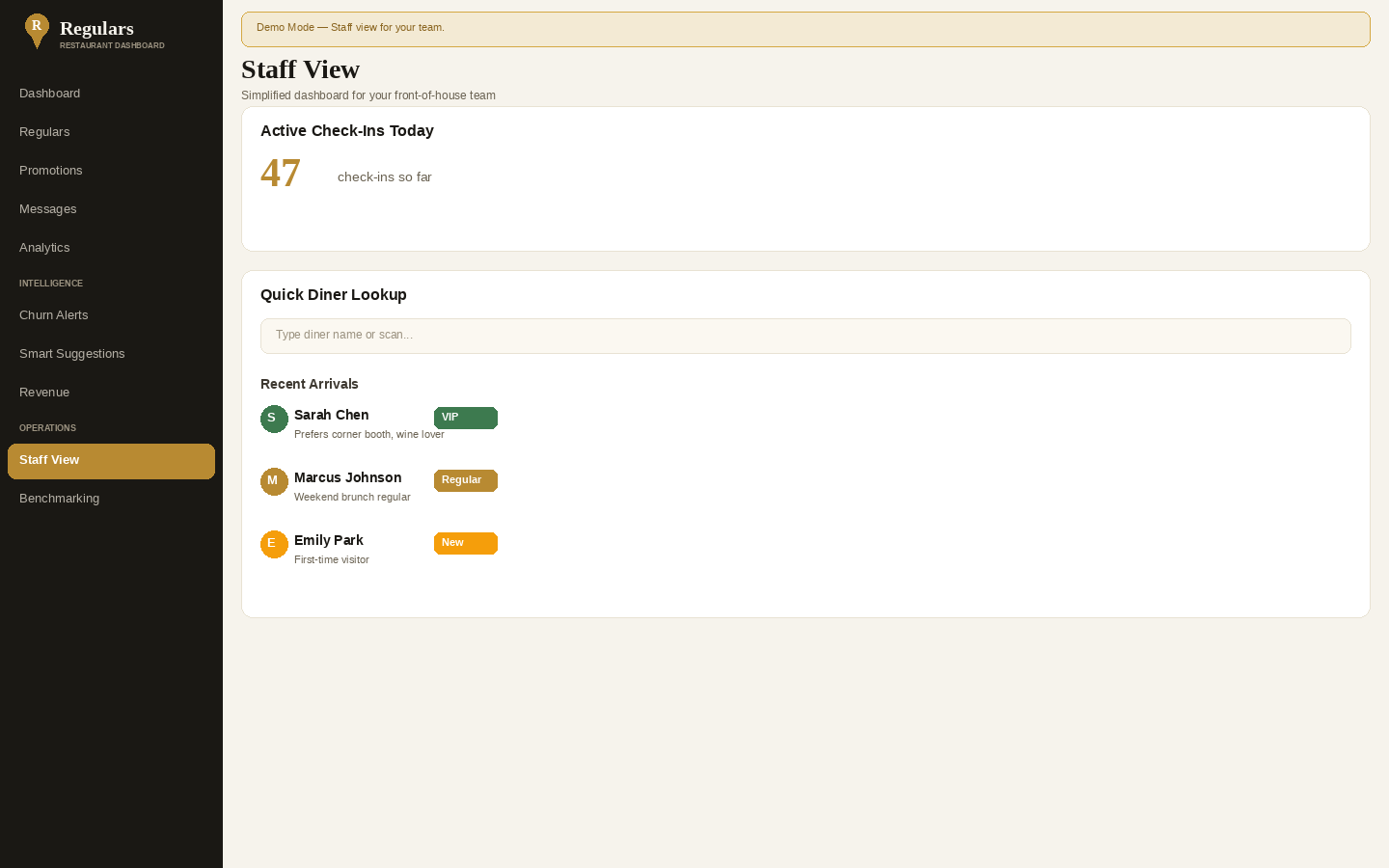
See active check-ins and returning-guest context available to your authorized staff.
Your restaurant chooses the eligible items and member prices.
Your team applies Regulars Pricing using its existing checkout. No POS replacement required.
Make the next visit more familiar.
A practical workflow for the people welcoming guests and preparing the bill.
Find your restaurant.
Match your restaurant to the correct listing and complete the authorized account setup. If it is already claimed or the details do not match, contact Regulars Support.
Set your Regulars Pricing.
Choose the eligible items and prices for your restaurant. Keep the offer and your public restaurant profile accurate.
Check the Host Stand.
When a diner checks in, authorized staff can see the arrival and the guest context available for that restaurant.
Apply the price at the bill.
Your team applies eligible Regulars Pricing through your existing checkout workflow.
The Host Stand.
Start with the arrivals in front of your team. Guest records and check-in context help staff recognize returning diners, subject to the restaurant’s access and the information diners share.
Explore the restaurant loyalty workflow or see how guest records support service.
Start with your restaurant.
Choose the app or the website to get started. Your restaurant sets its Regulars Pricing.
Claim your listing.
Find your restaurant, confirm you're authorized, create your account. One short form.
About 5 minutesSet pricing & profile.
Choose your Regulars Pricing, tidy the profile, invite your staff. At your own pace.
About a dayWelcome regulars.
Diners check in, your host stand lights up, the team applies pricing at the bill.
First serviceDownload Regulars Business.
The Business app is free to download from the App Store. Manage your restaurant profile and access the tools available to your restaurant account.
Get the Business appClaim your restaurant.
Use the restaurant claim flow to find the right listing — free through end of 2028, no credit card. For an existing account, sign in to Regulars Business.
Claim my restaurant Operator sign inQuestions from restaurant teams.
Do I need to replace my POS?
No. Diners check in through Regulars and your team applies eligible Regulars Pricing at the bill using your existing checkout workflow.
Is the Business app free?
Regulars Business is free to download from the App Store. The download price is separate from the member prices your restaurant sets. See the Business pricing explanation for the current public offer.
Who chooses the Regulars Pricing?
Your restaurant chooses the eligible items and member prices. Your team applies those prices at the bill when available.
What guest information can my team see?
Access is connected to your restaurant and staff permissions. The available context depends on the guest record and the information diners choose to share. See the guest-record workflow.
Does being in the guide mean a restaurant participates?
No. Directory and editorial inclusion are separate from participation in Regulars Pricing. If your listing needs attention, use the restaurant setup flow or contact Regulars Support.